订单簿数据整理
合并重复价格、移除数量为零的档位,并按买卖方向计算累计深度。
depthGitHub · v0.1.0
TypeScript 图表库
通过 TypeScript API 在 Canvas 上绘制买卖盘累计深度。传入订单簿快照、调整图表,并读取价差和买卖盘不平衡度指标。
TypeScript · MIT · 最近更新
TypeScript
import { DepthChart } from '@rekurt/depth';

const container = document.createElement('div');
container.style.cssText = 'width: 100%; height: 400px';
document.body.appendChild(container);

const chart = new DepthChart({
  container, theme: 'dark', shape: 'step',
  data: {
    bids: [{ price: 99, volume: 2 }],
    asks: [{ price: 101, volume: 3 }],
  },
});

console.log(chart.getMetrics());
// When removing the view: chart.destroy();
depth
合并重复价格、移除数量为零的档位,并按买卖方向计算累计深度。
选择深浅主题、阶梯或线性形状,以及居中或完整价格区间。
通过 DOM 或自己的框架挂载,传入快照、读取指标,并在卸载时调用 destroy()。
TypeScript 图表库
在容器中创建 DepthChart,传入买卖盘的价格与数量档位。
通过 setData 更新快照,并在周边界面使用价差或不平衡度指标。
01 / 安装
npm install @rekurt/depth02 / README
Canvas 订单簿深度图,提供 TypeScript API、可配置主题、价差和买卖盘不平衡度指标。
配置说明、使用示例和 API 参考。
以下为仓库的原始文档,未作翻译;上方的示例与入门说明已本地化。
Professional, framework-agnostic depth chart for web trading interfaces.
Project website · Interactive demo · All projects by rekurt




Institutional-grade order-book depth visualization without a heavy charting runtime.
|
|
@rekurt/depth renders cumulative order-book liquidity on a canvas with a
small TypeScript API, deterministic book math, and no charting runtime
dependency. It is built for product teams that need a serious market-depth
primitive they can wrap in React, Vue, Svelte, or plain DOM code without pulling
in a full exchange UI.
Most depth-chart widgets are either demo-level SVG toys or large charting packages with order-book math bolted on. This package keeps the core narrow: normalize the book, compute the view and metrics, render a restrained canvas chart, and expose the state you need for a professional trading UI.
DepthChart class with a stable imperative API.The demo is intentionally styled as a dense institutional trading surface: graphite/ink dark mode, cold premium light mode, muted liquidity fills, neutral spread treatment, and bid/ask color used only as signal. The renderer avoids decorative gradients and exchange-clone glow so the chart can sit inside a serious SaaS or brokerage product without visual noise.
Install the package with npm:
npm install @rekurt/depth
ES modules, CommonJS, and TypeScript declarations are included. Node.js 18.18+ is supported for consuming the package; building the source requires Node.js 22.13+ (or 24+).
To try the source demo instead, run these commands from the depth checkout:
npm install --prefix examples/core
npm run dev:example
import { DepthChart } from '@rekurt/depth';

const container = document.createElement('div');
container.style.cssText = 'width: 100%; height: 400px';
document.body.appendChild(container);

const chart = new DepthChart({
  container,
  theme: 'auto',
  maxLevels: 80,
  priceDomainMode: 'centered',
  shape: 'step',
  showSpread: true,
  showMidLine: true,
  showLabels: true,
  data: {
    bids: [
      { price: 99, volume: 2 },
      { price: 98, volume: 4 },
    ],
    asks: [
      { price: 101, volume: 3 },
      { price: 102, volume: 5 },
    ],
  },
  onHover(level) {
    console.log(level);
  },
});

chart.setData({
  bids: [{ price: 99, volume: 3 }, { price: 98, volume: 5 }],
  asks: [{ price: 101, volume: 4 }, { price: 102, volume: 6 }],
});
chart.updateOptions({ maxLevels: 120, shape: 'linear' });

const metrics = chart.getMetrics();
console.log(metrics.spread, metrics.spreadBps, metrics.imbalance);

chart.fitAll();
// When removing this view, call chart.destroy().
The package does not ship a framework wrapper. In React/Vue/Svelte, mount the
chart once, feed snapshots through setData, and call destroy on unmount.
interface DepthSnapshot {
  bids: DepthLevel[];
  asks: DepthLevel[];
  midPrice?: number;
  timestamp?: number;
  sequence?: number | string;
}

interface DepthLevel {
  price: number;
  volume: number;
}
Validation rules:
price must be a finite positive number.volume must be a finite non-negative number.Book view rules:
N levels by descending price, then returned in
ascending price order for left-to-right rendering.N levels by ascending price and returned in
ascending price order.maxLevels is applied before cumulative values are computed.Metrics:
spread = bestAsk - bestBid
midPrice = explicitMidPrice ?? (bestBid + bestAsk) / 2
spreadBps = spread / midPrice * 10000
imbalance = (bidTotal - askTotal) / (bidTotal + askTotal)
For an empty book, imbalance is 0. For one-sided books without an explicit
midpoint, midPrice, spread, and spreadBps are null.
The default domain mode is centered.
new DepthChart({
  container,
  data,
  priceDomainMode: 'centered',
});
When both sides are present, the chart expands symmetrically around midPrice.
That keeps the spread/midline visually centered even when one side has a wider
price range.
Use fit when you want the smallest domain that contains all visible levels:
chart.updateOptions({ priceDomainMode: 'fit' });
const chart = new DepthChart(options);
Methods:
setData(snapshot) validates and renders a new order-book snapshot.updateOptions(options) changes render/data options without rebuilding DOM.setTheme(theme) accepts 'dark', 'light', 'auto', or explicit colors.fitAll() resets the viewport domain to the current snapshot.resize(width, height) manually resizes the canvas layers.destroy() removes DOM/event resources and is idempotent.getSnapshot() returns a defensive copy of the latest raw snapshot.getView() returns the typed-array render view.getMetrics() returns best bid/ask, spread, bps, totals, and imbalance.Useful options:
maxLevels: keep only the best N merged levels per side.priceDomainMode: 'centered' or 'fit'.shape: 'step' or 'linear'.showGrid, showSpread, showMidLine, showLabels: chart chrome toggles.emptyMessage: no-data state text.priceFormat, volumeFormat: format axes, labels, and tooltip values.onHover: receives the nearest visible level or null.onError: receives validation/render/interaction errors.Use a built-in theme:
chart.setTheme('dark');
chart.setTheme('light');
chart.setTheme('auto');
Or pass explicit colors:
chart.setTheme({
  background: '#090e13',
  grid: '#17232c',
  axis: '#2a3945',
  text: '#d8e2ea',
  mutedText: '#748594',
  bidLine: '#4fb783',
  bidFill: 'rgba(79, 183, 131, 0.12)',
  askLine: '#d96a6a',
  askFill: 'rgba(217, 106, 106, 0.12)',
  midLine: '#9aa7b2',
  crosshair: '#aeb8c2',
});
The renderer intentionally uses restrained solid translucent fills instead of heavy gradients. Spread is rendered as a neutral band, not as a red/green decorative separator.
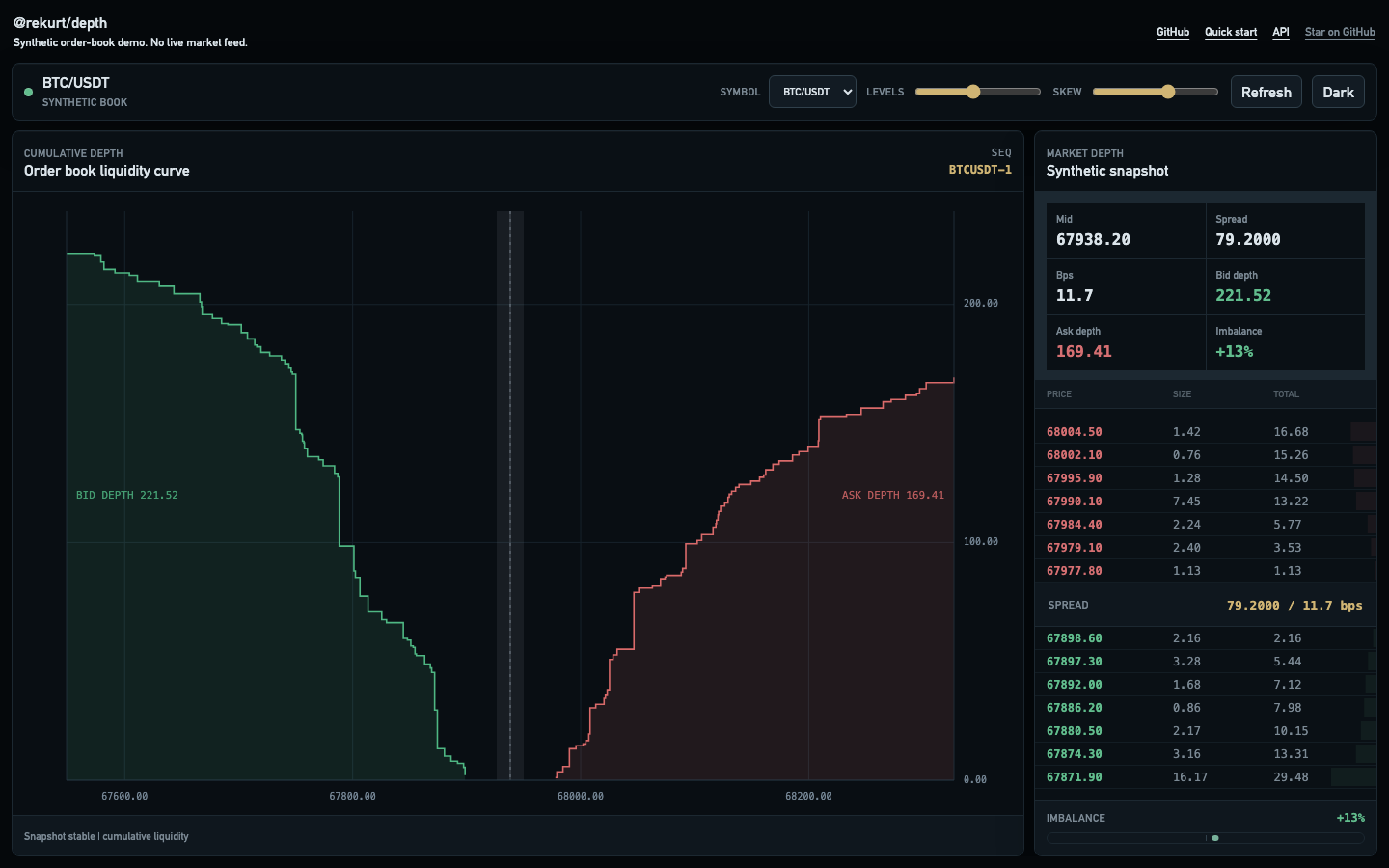
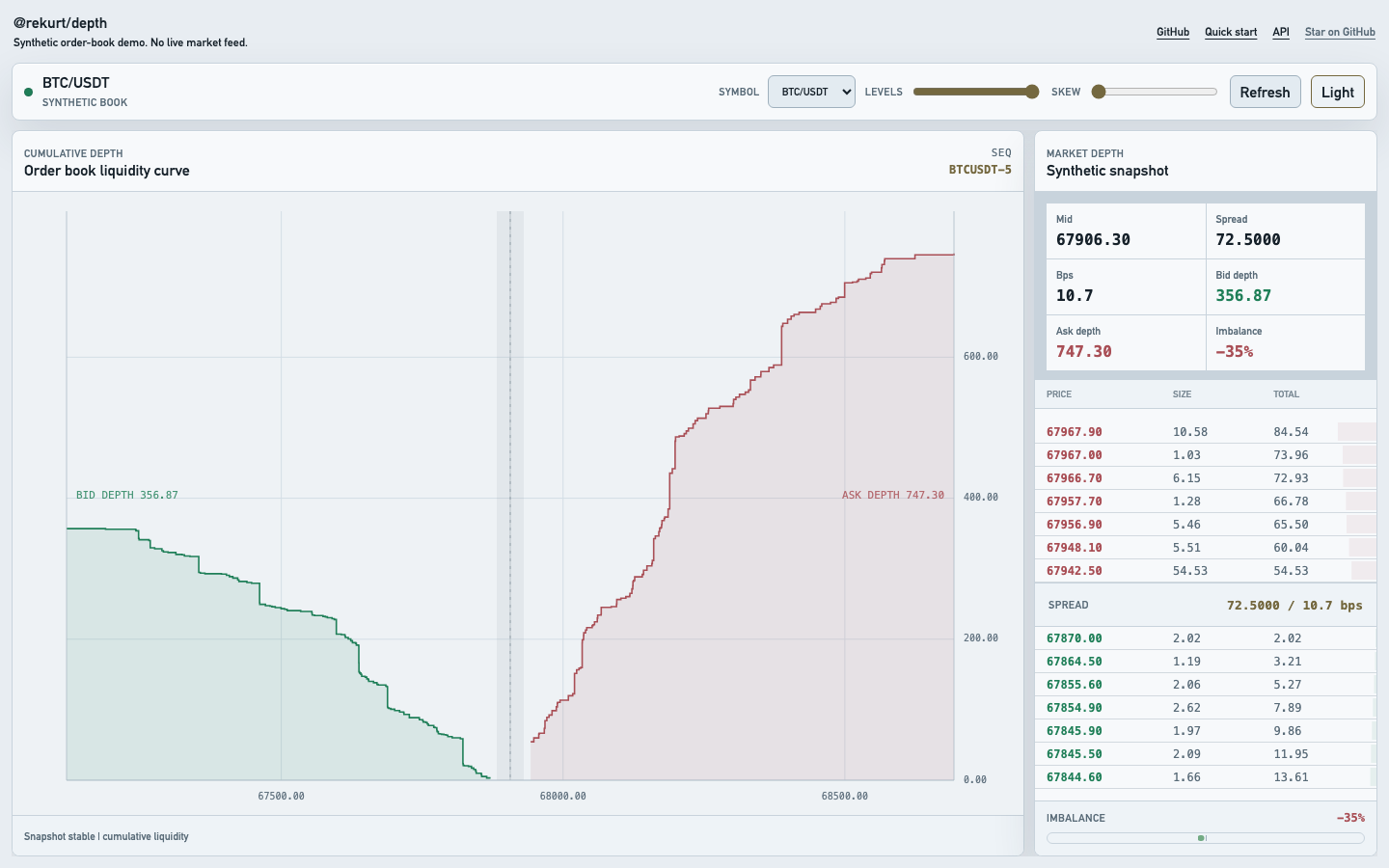
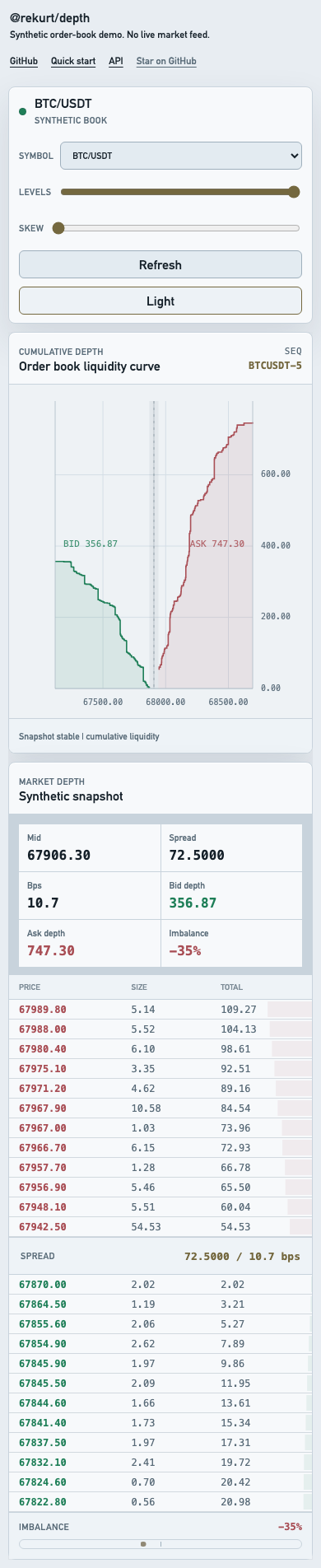
The repository includes a vanilla Vite demo with synthetic BTC/ETH/SOL books, desktop/mobile layouts, a centered order-book ladder, hover inspection, and dark/light themes.
Try the interactive demo. All displayed prices and volumes are synthetic; the demo has no live market feed.
npm run dev:example
npm install
npm test
npm run typecheck
npm run lint
npm run build
npm run build:example
npm pack --dry-run
npm pack --dry-run verifies that the published tarball contains README.md,
ESM/CJS builds, sourcemaps, and TypeScript declarations.
The public package intentionally stays small:
DepthChartDepthBufferDepthViewportDepthRendererThe core API is DOM/canvas-based and framework-independent.
MIT
depth