Database and file inputs
Compare schemas using database connection strings or a SQL file checked into your repository.
dbdiffv0.2.2
Database schema comparison CLI
Compare two databases or check a database against a SQL schema file. Review table, column and index changes, or check for drift in CI.
Rust · MIT · Last update
$ dbdiff postgres://prod/app --schema schema.sql

~ orders
  + paid_at       timestamptz
  + idx_paid_at   INDEX
  - payment_date  varchar(32)

$ dbdiff … --ci
# exit 0: match · exit 1: drift
dbdiff
Compare schemas using database connection strings or a SQL file checked into your repository.
Read table, column and index differences, then review generated SQL and locking warnings before applying it.
CI mode reports drift with an exit code. JSON output lets your own tooling decide what happens next.
Database schema comparison CLI
Point dbdiff at the environments or the SQL schema you need to compare.
Save the output, review destructive or locking operations, and run it through your normal deployment process.
01 / Install
cargo install dbdiff02 / README
Compare database schemas or a database against a SQL file, generate migration SQL and detect drift in CI.
Setup, examples and API reference.
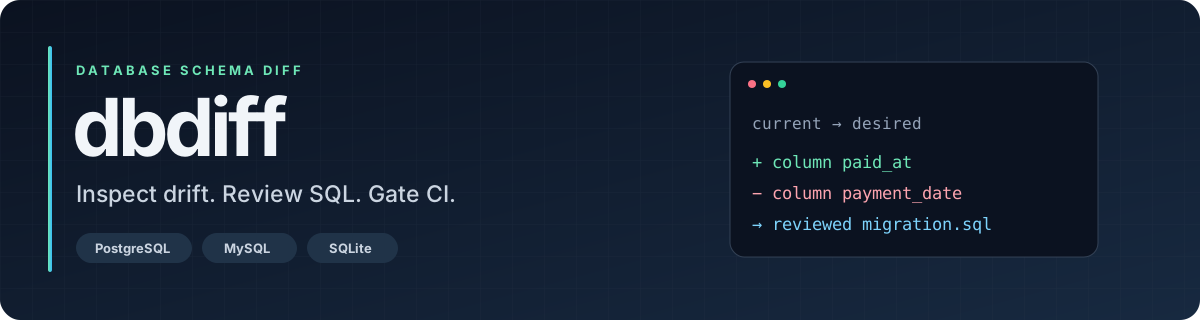


Compare database schemas. See what changed. Generate SQL you can review.
PostgreSQL · MySQL / MariaDB · SQLite · SQL files · JSON snapshots
Try the demo · Install · CLI guide · Website · Contribute
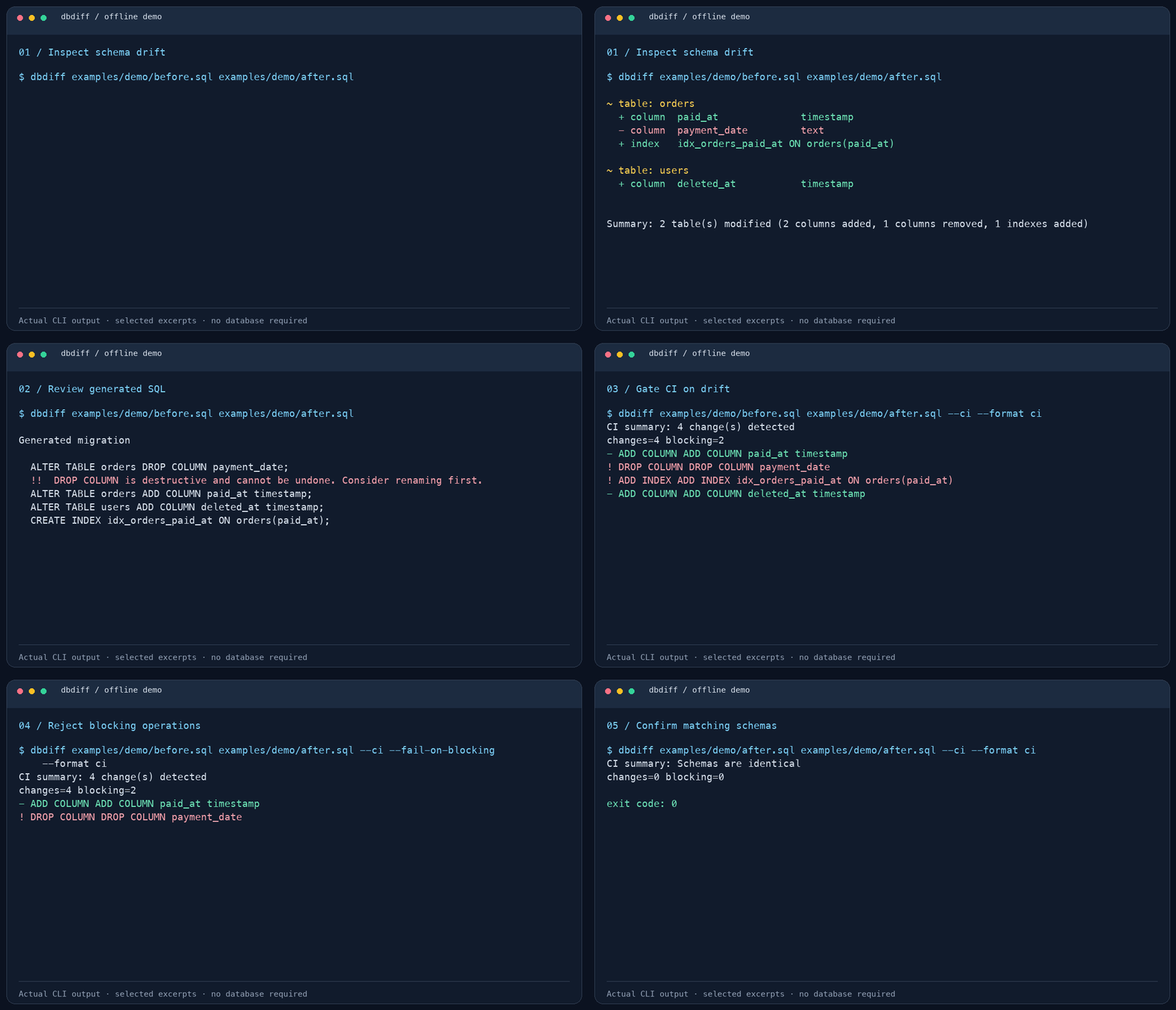
Static preview. Excerpts from the offline demo below, captured from the actual CLI. The full run also verifies JSON output, migration files, rollback SQL, and preview behavior.
dbdiff generates migration SQL; it does not execute that SQL against your database.
No database server, credentials, or Docker required. From a checkout:
git clone https://github.com/rekurt/dbdiff.git
cd dbdiff
cargo build --locked
python3 examples/demo/run.py --bin target/debug/dbdiff
Requires Rust 1.88+ and Python 3.9+. On Windows, use python and target/debug/dbdiff.exe.
The demo replaces a free-form payment date with a timestamp, adds an index, and introduces soft deletion. It verifies four changes and the CI exit codes 1 → 3 → 0, then saves the transcript, JSON report, forward migration, and rollback under target/demo/.
Or, with dbdiff installed, run the comparison directly:
dbdiff examples/demo/before.sql examples/demo/after.sql
~ table: orders
  + column  paid_at              timestamp
  - column  payment_date         text
  + index   idx_orders_paid_at ON orders(paid_at)

~ table: users
  + column  deleted_at           timestamp
The full output includes unchanged columns, migration SQL, warnings, a summary, and next steps.
See the demo walkthrough for individual commands and how to regenerate the animation.
Download the archive for your platform from Releases, extract it, and put dbdiff (or dbdiff.exe) on your PATH.
| Platform | Archive target |
|---|---|
| Linux x86_64 | x86_64-unknown-linux-gnu or x86_64-unknown-linux-musl |
| Linux ARM64 | aarch64-unknown-linux-gnu |
| macOS Intel | x86_64-apple-darwin |
| macOS Apple Silicon | aarch64-apple-darwin |
| Windows x86_64 | x86_64-pc-windows-msvc |
cargo install --git https://github.com/rekurt/dbdiff --locked
All three database backends are enabled by default. For a smaller build:
cargo install --git https://github.com/rekurt/dbdiff --locked \
  --no-default-features --features postgres,sqlite
Source builds require Rust 1.88+ and the platform's build tools; PostgreSQL/MySQL builds may also require TLS development libraries. See CONTRIBUTING.md.
The first source is the current schema. The second source is the desired schema. Forward SQL changes the first to match the second.
# Two live PostgreSQL databases
dbdiff "$CURRENT_DSN" "$DESIRED_DSN"

# Live database versus a complete desired schema file
dbdiff "$CURRENT_DSN" --schema schema.sql

# MySQL / MariaDB (both variables contain mysql:// or mariadb:// DSNs)
dbdiff "$MYSQL_CURRENT_DSN" "$MYSQL_DESIRED_DSN"

# SQLite database versus a schema file
dbdiff app.db --schema schema.sql

# Two SQL files, fully offline
dbdiff current.sql desired.sql
A schema file should describe the complete desired structure with CREATE statements, rather than an incremental ALTER migration. Compare like-for-like database backends; a SQL file can be used on either side. SQL-file-only comparisons generate PostgreSQL-style migration SQL.
# Preview only: this does not create migration.sql
dbdiff current.sql desired.sql --out migration.sql

# Explicitly save the forward migration
dbdiff current.sql desired.sql --emit migration.sql

# Equivalent write command
dbdiff current.sql desired.sql --out migration.sql --write

# Save a separate rollback plan
dbdiff current.sql desired.sql --direction down --emit rollback.sql
Review generated SQL before applying it. A rollback restores schema definitions; it cannot recover data lost through a dropped column or table.
dbdiff current.sql desired.sql --format json > drift.json
dbdiff current.sql desired.sql --format yaml > drift.yml
dbdiff current.sql desired.sql --format sql > migration.sql

# Capture a database schema, then compare the snapshot offline
dbdiff snapshot "$CURRENT_DSN" --out current.json
dbdiff current.json desired.json
For connectivity checks, table listing, completions, PostgreSQL concurrent indexes, and configuration options, see the CLI guide or dbdiff --help.
dbdiff current.sql desired.sql --ci --format json > drift-report.json
| Exit code | Meaning |
|---|---|
0 |
No schema drift (or successful comparison without --ci) |
1 |
Drift detected with --ci |
2 |
Invalid arguments, load/connection failure, or another error |
3 |
Blocking operations detected with --ci --fail-on-blocking |
Use --format ci for a compact text report. --format json and --format yaml provide structured reports. Add --fail-on-blocking to distinguish changes classified as blocking by dbdiff.
A file-based GitHub Actions example, requiring no database secrets:
name: Schema drift
on: [pull_request]
permissions:
  contents: read
jobs:
  schema:
    runs-on: ubuntu-latest
    steps:
      - uses: actions/checkout@v6
      - uses: dtolnay/rust-toolchain@stable
      - name: Install dbdiff
        run: cargo install --git https://github.com/rekurt/dbdiff --tag v0.2.2 --locked
      - name: Compare schemas
        run: dbdiff current.sql desired.sql --ci --format json > drift-report.json
      - name: Upload report
        if: always()
        uses: actions/upload-artifact@v7
        with:
          name: schema-drift-report
          path: drift-report.json
Replace current.sql and desired.sql with your project's schemas. For live comparisons, supply DSNs through CI secrets. When running under GitHub Actions, CI mode also emits annotations.
Run dbdiff init to create .dbdiff.yml, or use --config path/to/config.yml:
ignore:
  tables:
    - _migrations
    - schema_version
  columns:
    - "*.created_at"
    - "sessions.*"

protected:
  tables:
    - payments
  columns:
    - "*.id"

output:
  format: pretty
  color: true
Ignored objects are filtered from both sources. Protected rules reject drops of listed tables or matching columns. See configuration details.
| Area | Coverage |
|---|---|
| Tables | Add, remove; experimental rename detection |
| Columns | Add, remove, type/default/nullability changes; experimental renames |
| Indexes | Add, remove, changed definitions |
| Constraints | Primary keys, unique, foreign keys, checks |
| PostgreSQL objects | Views, enums, sequences when available from live schemas or snapshots |
| Migration plans | Forward, rollback, or both; warnings and optional explanations |
.sql files; use JSON snapshots to preserve those objects.--detect-renames).cargo test --locked
cargo fmt --all -- --check
cargo clippy --all-targets --all-features -- -D warnings
python3 examples/demo/run.py --bin target/debug/dbdiff
Contributing · Architecture · Changelog · Report a bug · Request a feature · Security policy · Code of conduct
dbdiff