Native macOS menu bar app

Timed wake sessions for your Mac.

Keep builds, downloads, and local agents running during idle time. Choose a timer and a battery cutoff from the menu bar.

Download DMG
Homebrew brew tap rekurt/maccoffee
brew install --cask maccoffee
Native SwiftUI No cloud backend macOS 13+
agent-ops.local DEMO
EXAMPLE WORKLOAD 3 agents in progress
SLEEP RISK
SESSION ACTIVE
01
CodexRefactoring payment ledger
RUNNING
02
ClaudeReviewing security boundary
RUNNING
03
Local runnerExecuting integration suite
RUNNING
macOS idle sleep is approachingYour unattended agent run can lose its local connection.
SLEEP IN01:42
Wake session activeSystem sleep prevented · Display may sleep
REMAINING01:59:58
100%native macOS
0accounts or analytics
IOKitprocess-owned assertions
LocalMCP control plane
01 / THE PROBLEM

Idle sleep can interrupt local work.

Builds, downloads, and local agents may pause or lose connections when a laptop sleeps. Start a wake session before leaving a task running.

WITHOUT MAC COFFEE
22:14:02agent.run()started
22:31:44system.idledetected
22:33:26connectionlost

Idle sleep can interrupt the task or its network connection.
WITH MAC COFFEE
22:14:02agent.run()started
22:14:03wake.sessionactive
23:08:17agent.resultcomplete

The wake session prevents idle sleep until its timer or battery cutoff ends it.

02 / PRODUCT

Set the mode, duration, and battery cutoff.

Control wake sessions from the menu bar. Settings apply to the current session.

01

System and display wake modes

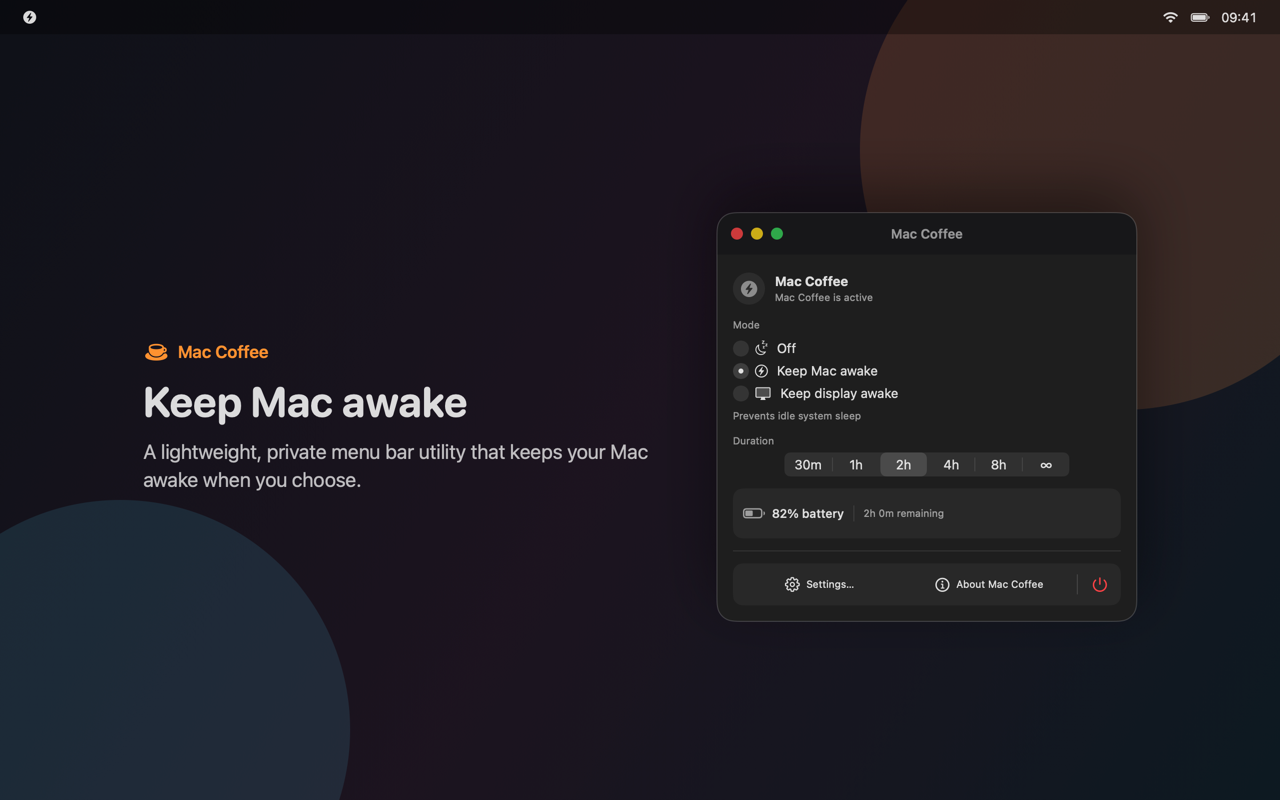
Keep the Mac awake while allowing the display to sleep, or keep both system and display awake. Off releases every assertion.

Keep Mac AwakeKeep Display AwakeOff
Mac Coffee
Mac Coffee menu-bar panel with an active two-hour wake session
02

Timed or indefinite sessions

Choose 30 minutes, 1, 2, 4, or 8 hours — or run indefinitely. Changing duration updates the active session immediately.

03

Battery protection

Choose a cutoff from 10% to 30%, with 15% as the default. A session stops when the battery reaches the threshold.

72%
04

Launch at Login

Native Launch at Login through SMAppService, with no privileged helper and no persistent pmset changes.

Launch at Login
05

Eight languages, no restart

Switch instantly without interrupting an active wake session: EN, RU, DE, FR, ZH, JA, KO, and ES.

06

Menu bar controls and notifications

SwiftUI controls, local notifications, VoiceOver labels, and language switching. The Direct build also checks for updates.

SwiftUIVoiceOverSparkle
03 / AUTOMATION

Start and stop wake sessions through MCP.

The Direct build includes an optional local MCP server for Codex, Claude Desktop, and other stdio clients. Enable it in Settings and approve each new client.

Connect an MCP client≈ 60 sec
  1. 01
    Install the Direct build

    Launch Mac Coffee once so the local app endpoint is available.

  2. 02
    Open Settings → AI & automation

    Enable MCP, then choose Set up an MCP client.

  3. 03
    Choose your client

    Select Codex, Claude Desktop, or Generic stdio.

  4. 04
    Review the exact diff

    The wizard preserves unrelated config and creates a timestamped backup.

  5. 05
    Pair the first request

    Restart the client and approve its identity inside Mac Coffee.

~/.codex/config.toml
# Mac Coffee MCP
[mcp_servers.mac_coffee]
command = "/Applications/Mac Coffee.app/Contents/Helpers/MacCoffeeMCP"
Agent tool call
{
  "tool": "maccoffee_set_session",
  "arguments": {
    "mode": "system",
    "duration": "hours2",
    "requestId": "agent-run-2026-09-01"
  }
}
200 · result{ "active": true, "mode": "system", "remaining": 7200 }
THE LOCAL TOOLBOX

Strict schemas. Predictable control.

Status subscriptions, idempotent mutation IDs, and bounded in-memory activity give agents useful control without a remote service.

maccoffee_get_status maccoffee_set_session maccoffee_stop_session maccoffee_set_battery_threshold maccoffee_set_launch_at_login maccoffee_set_language
RESOURCESmaccoffee://statusmaccoffee://capabilitiesmaccoffee://activity
04 / TRUST

Idle sleep control with macOS limits.

Manual sleep, lid closure, and macOS safety mechanisms still apply during a wake session.

What Mac Coffee never overrides

  • 01Manual Sleep
  • 02lid closure
  • 03Shutdown or restart
  • 04Thermal and macOS safety decisions

Process-owned assertions

IOKit releases the wake request when a session ends or the process terminates.

MCP is opt-in

Disabled by default, local to the current macOS user, and unavailable in the App Store build.

Identity-aware pairing

New clients require approval. Credentials are bound to code identity and stored in Keychain.

No cloud backend

No account, analytics, activity upload, or server is required to keep your Mac awake.

05 / UNDER THE HOOD

From your MCP client to the running app.

The Direct build routes stdio requests through a local XPC broker. The connection is limited to the current macOS user and needs no privileged helper.

01AI clientCodex / Claude
02stdio helperMacCoffeeMCP
03local XPC brokercurrent user only
04Mac CoffeeAppModel
05IOKitpower assertion
The helper never launches the app. Mutations accept idempotent request IDs. The App Store build contains no MCP code.
Mac Coffee application icon MACOS 13 OR LATER

Install and start a session.

Install with Homebrew or download the signed and notarized DMG.

Requires macOS 13 Ventura or later · MIT licensed